Choose your blank.
Select a size from the library or enter your own dimensions. Start with the appropriate lettering profile and single or two-line layout. See millimetres and approximate inches together.

PLATESPEC · WINDOWS NUMBER PLATE SOFTWARE
Less time setting up. More control over every plate.
Choose your blank. Set the lettering. Place your branding. Bring the details together in one focused workspace, built around the jobs you make every day.
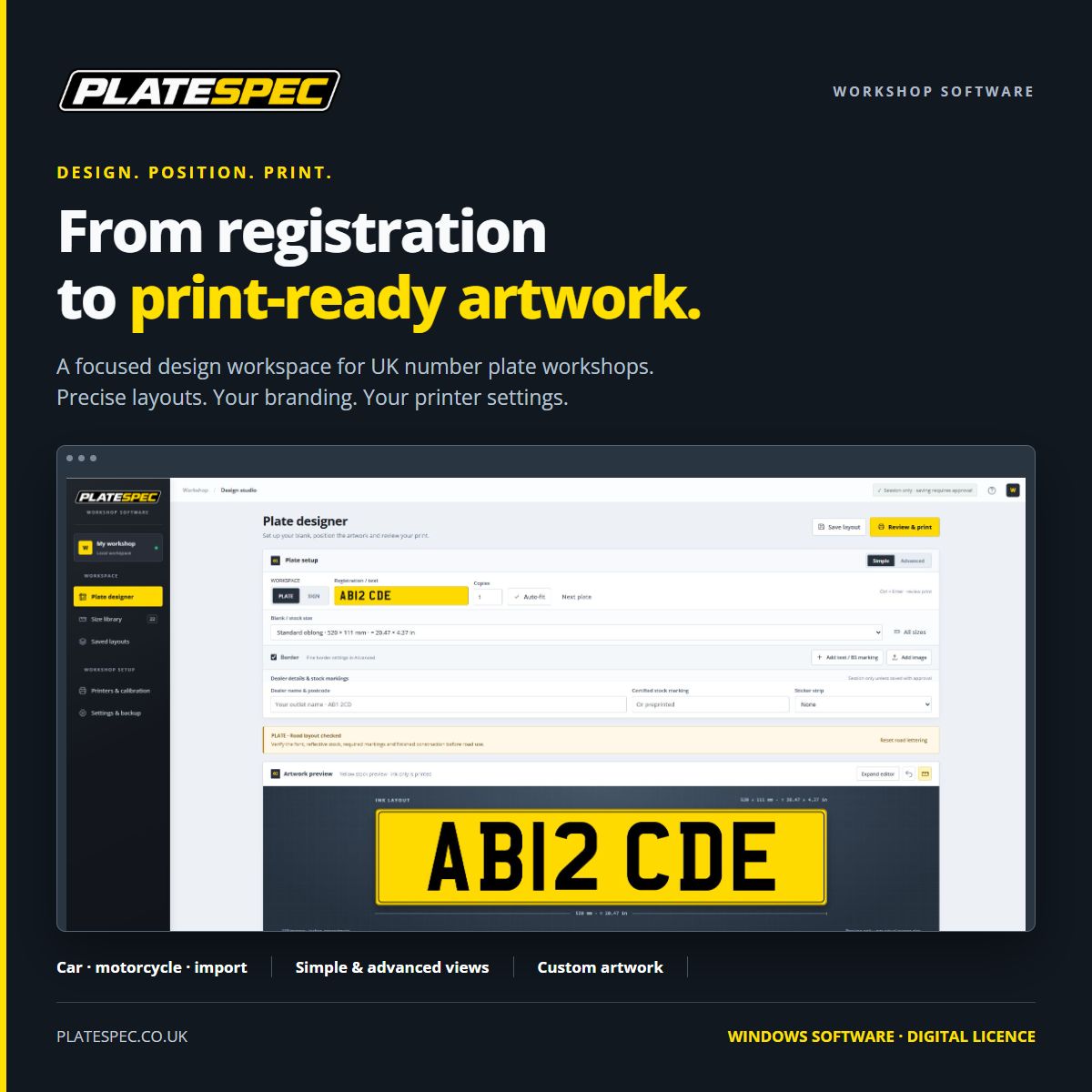
Windows application · One workstation licence · Activation required to use the designer and printing tools
SAME SOFTWARE. YOUR CHOICE OF BILLING.
One Windows workstation, multiple printer profiles and the same software features on either plan.
BUILT FOR PLATE MAKERS
Different blanks. Different branding. The same attention to detail. PLATESPEC brings the tools together so you spend less time rebuilding a layout and more time making the finished plate.
Select a size from the library or enter your own dimensions. Start with the appropriate lettering profile and single or two-line layout. See millimetres and approximate inches together.
Enter the registration, add dealer details and place your artwork. Adjust the border and reserve space for stickers. Keep it simple, or open the finer controls.
Review the layout, media fit and printer calibration before sending the job. Keep your positioning settings ready for the next job.
MORE THAN A STANDARD OBLONG
Standard car plates, short plates, motorcycle blanks and import formats all deserve a proper layout. Choose a preset without a pop-up getting in the way, then see the design change on the preview.
Reduced import lettering depends on vehicle eligibility. A size preset alone does not establish road-use compliance.

EVERY DETAIL HAS ITS PLACE
A dealer line should sit where you want it. A logo should be easy to position. A border should respect the artwork around it.
Add text and images, move them on the preview and resize with handles. Alignment tools and snap guides help finish the placement. Expand the editor for more space.
Keep the dealer name and postcode together. Advanced controls give you font size, bold and italic styling when the job calls for them.
Adjust colour, width, inset and gaps. Make room for footer text and stock markings, or reserve a side strip for a sticker added after printing.
SET IT UP ONCE. KEEP IT USEFUL.
Save the details that take time to get right: a business layout, logo placement, font choice or calibrated printer position. Organise them in folders so the next job starts in the right place.
The designer does not keep an automatic plate history. Identifying text and uploaded images stay in the session unless you explicitly approve saving them. Saved layouts, fonts and printer settings are held locally on the PC, with backup and restore tools.
DESIGN MEETS THE REAL PRINTER
PLATESPEC is an installed Windows application. Work with printer profiles for your hardware and media, adjust the print position and check the physical output with a measured calibration print.
Use a compatible Windows printer driver. Verify your printer, ribbon, media and measured output before production. Software only; hardware and consumables are not included.
YOUR PRINT SETUP
Illustrative checks. The app shows the status of your current design.
THE FINER DETAILS, WITHOUT THE CLUTTER
Start with the included PLATESPEC registration font. Import your own licensed TTF or OTF fonts and choose separate fonts for dealer text. Assign lettering to car, motorcycle and import profiles.
Simple keeps the everyday controls close together. Advanced adds precise spacing, font styling, strip clearances and more. Switch views without starting again.
Plate mode checks the configured road-layout dimensions and spacing. Sign mode gives you freer styling for decorative work. Layout checks help identify issues; they do not certify the finished plate.
FROM DOWNLOAD TO YOUR FIRST DESIGN
One Windows workstation licence, with the same software features on either billing plan.
Offline access lasts until the signed licence check-in deadline shown in the app. Updates are downloaded from the release service; your saved layouts and preferences stay on your PC.
BEFORE YOU GET STARTED
Yes. Download the Windows installer, install PLATESPEC and activate the PC with your licence key. The design and print tools stay locked until activation. You can download the installer before you buy a licence.
Access for one Windows workstation, with the plate designer, size library, custom artwork tools, saved layouts, font imports, printer profiles and software updates. Monthly and annual plans include the same software features. Printers, ribbons, reflective materials and physical plates are not included.
The PLATESPEC registration font is included. You can import additional licensed TTF or OTF fonts and choose fonts for your dealer line. You must still verify the character shape, stroke width and finished print for road-use work.
The software works through a compatible Windows printer driver and configurable printer profiles. GoDEX G500 is among the provided setup profiles. Check your exact model, print width, ribbon and media, then calibrate the physical output. A profile does not guarantee compatibility with every printer or stock combination.
Activation needs an internet connection. After activation, the software can work offline within its signed licence check-in period. Reconnect before the deadline shown in the app to verify access. Offline access does not extend a subscription beyond its paid entitlement.
Your saved folders, layouts, fonts and printer settings are stored locally on the PC, separately from the installed application. Normal updates preserve them. Use the built-in backup export before important changes and keep a copy away from the workstation.
No automatic plate or print history is kept in the designer. Identifying text and images stay in the working session unless you explicitly approve saving them. A business template or complete design can retain approved details, artwork and the full layout. Licensing and billing records are separate from plate artwork.
No. Its checks cover configured layout dimensions and spacing. Road-use suitability also depends on the vehicle, entitlement, font, materials, markings and finished output. Follow the applicable supplier requirements when making registration plates.
Subscriptions renew at the selected monthly or annual interval until cancelled. Use the subscription management link supplied with your licence email to stop future renewals. Your access continues to the end of the paid period.
READY FOR YOUR PC
Download the current Windows installer. Activate with your key to unlock PLATESPEC, then set up your printer and make your first design.